Capturing What I Say Out Loud With Purpose
September 23, 2026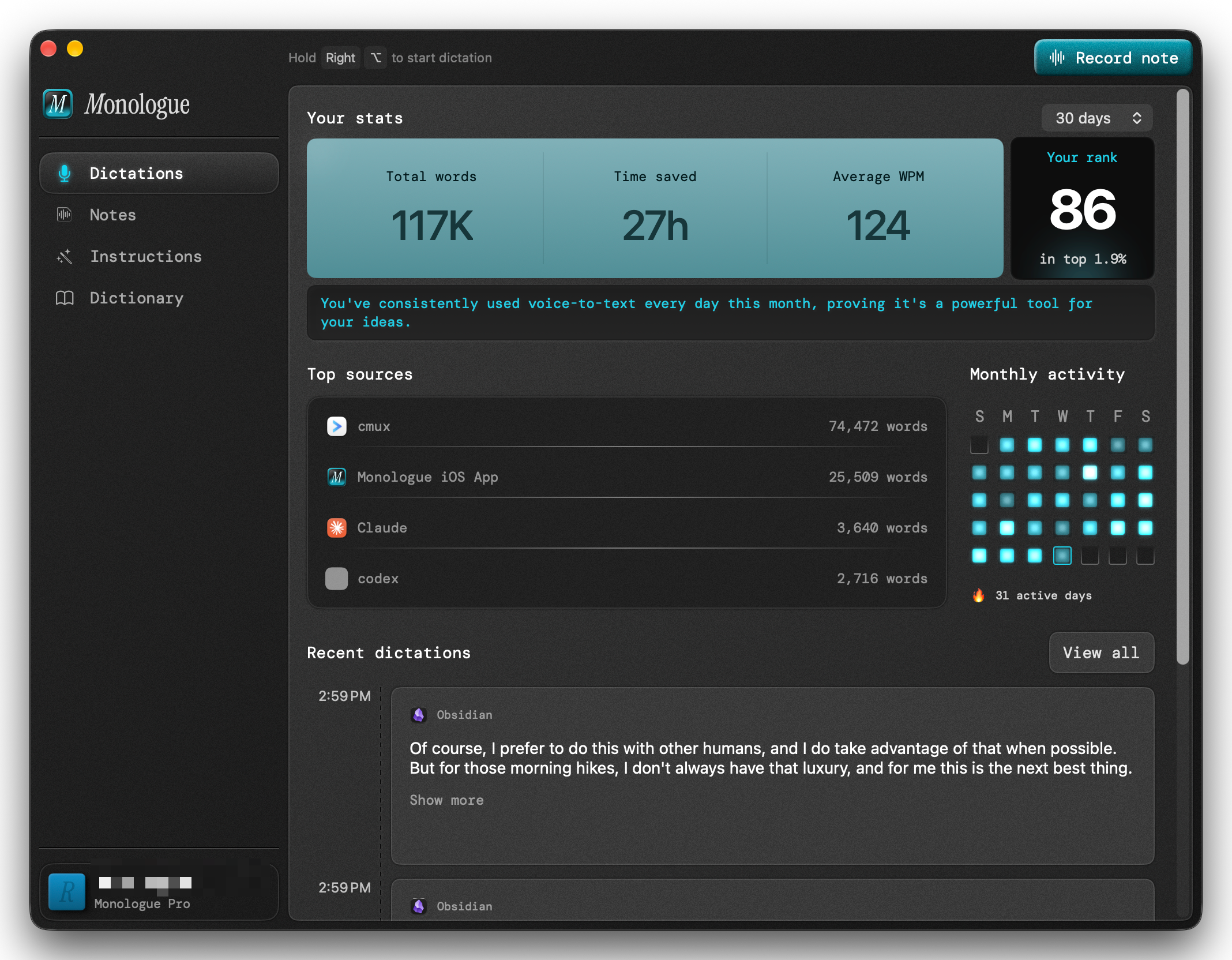
As a photographer, when I’m out in the landscape, I spend a lot of time just thinking about what I’m seeing and how I’m feeling. For most of my life I relied on my memory, but as we know, memories are fleeting. I have loads of voice memos on my iPhone going back years, but I’ve been better at recording them than revisiting them regularly.
What changed is an app on my computers and phone, and the way I’ve set it up to work with my AI assistants. The app is called Monologue by Every.to and it’s become one of my most-used apps by far. It’s an AI-powered dictation app that converts your speech into text that is readable and accurate almost instantly.
I’ve tried other dictation apps, but Monologue was the first that stuck with me for several reasons. I love the retro look and feel of the app, combined with a unique and powerful set of features that I and my AI assistants use on a daily basis.
I’ve settled into using it in two primary ways that help me get stuff out of my head quickly, whether that’s thoughts and ideas, quick replies, or general brainstorming.
The first way is getting text onto my screen, whether chatting with AI, or writing an email, or messaging someone. It’s a shortcut that lets me think out loud, and I find that’s particularly useful when brainstorming or explaining something complex to Claude or another assistant. And because Monologue keeps a record of everything you dictate, you can always copy that out of the app to re-use somewhere else.
The second, and more interesting way for me at least, is using its separate “Notes” feature to record voice notes wherever I am. I tend to get lots of ideas when I’m on a long walk or hike. There’s a theory for why: when your body is busy walking, the part of the brain that plans, judges, and edits quiets down a little, and ideas that were stuck have room to surface.
When I want to capture something, I simply tap the Monologue icon on my iPhone lock screen (which I added after installing the app) and it immediately opens Monologue in record mode, and I just…talk.
If you add the Monologue app to your Apple Watch, recording a voice note is simply a tap on your watch. And you don’t even have to hold your wrist up to your face while recording, the watch microphone picks up my voice while I continue to walk normally in stride.
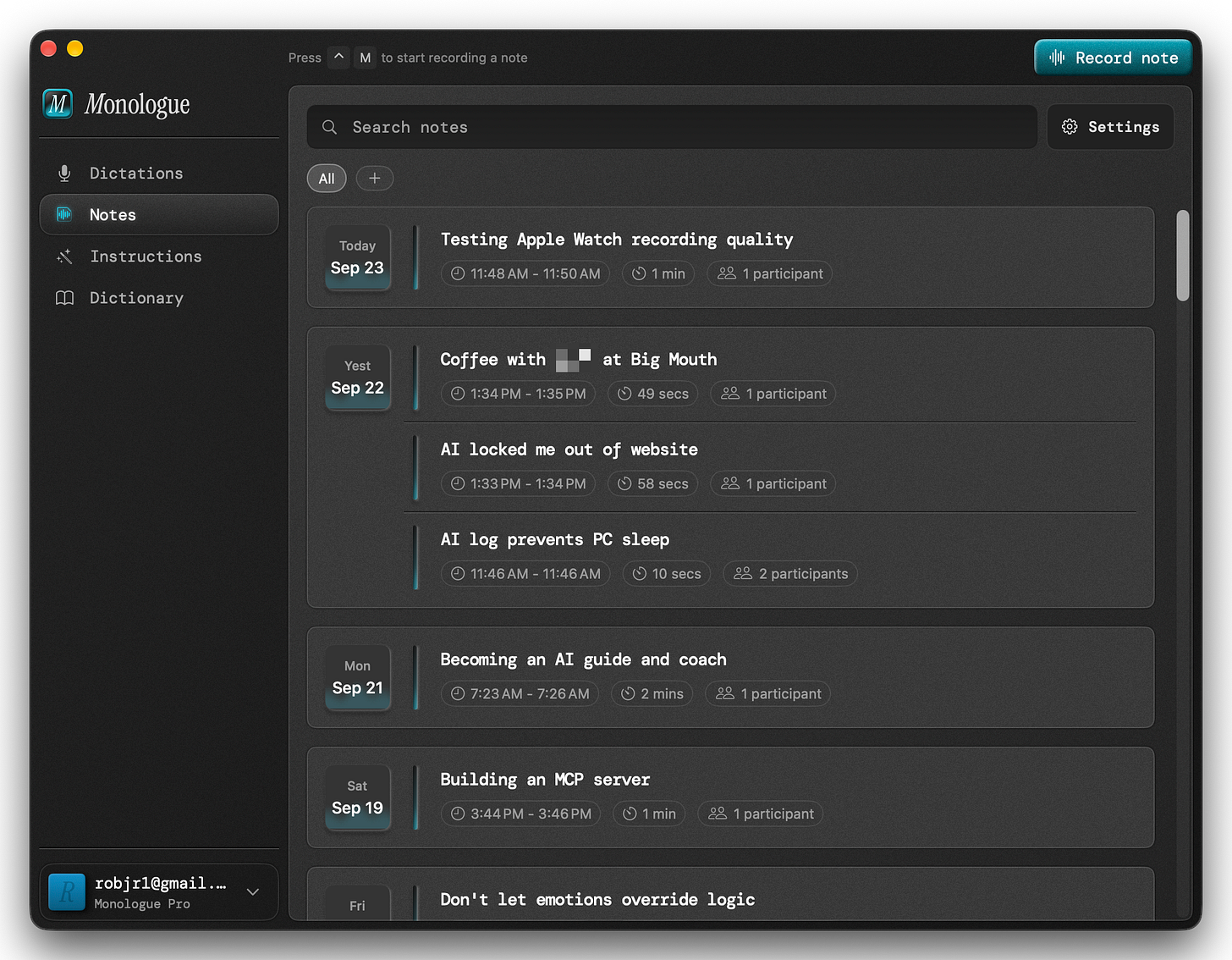
Monologue also creates an AI summary of your notes, which means you can read and copy the summary OR the raw note, as well as listening to it. You can search your notes by title (which are automatically created), tags, and content.
I’ve dictated ideas for newsletters, presentations, and videos, but I also will just explain difficult concepts I’m trying to understand, especially if I read it in a book and I’m not sure I fully grasp it. Thinking about a concept and explaining it as if you were talking to someone else are two very different things, and this helps me see the gaps and holes in my understanding.
Of course, I prefer to do this with other humans, and I do take advantage of that when possible. But for those morning hikes, I don’t always have that luxury, and for me this is the next best thing.
Customizing Monologue
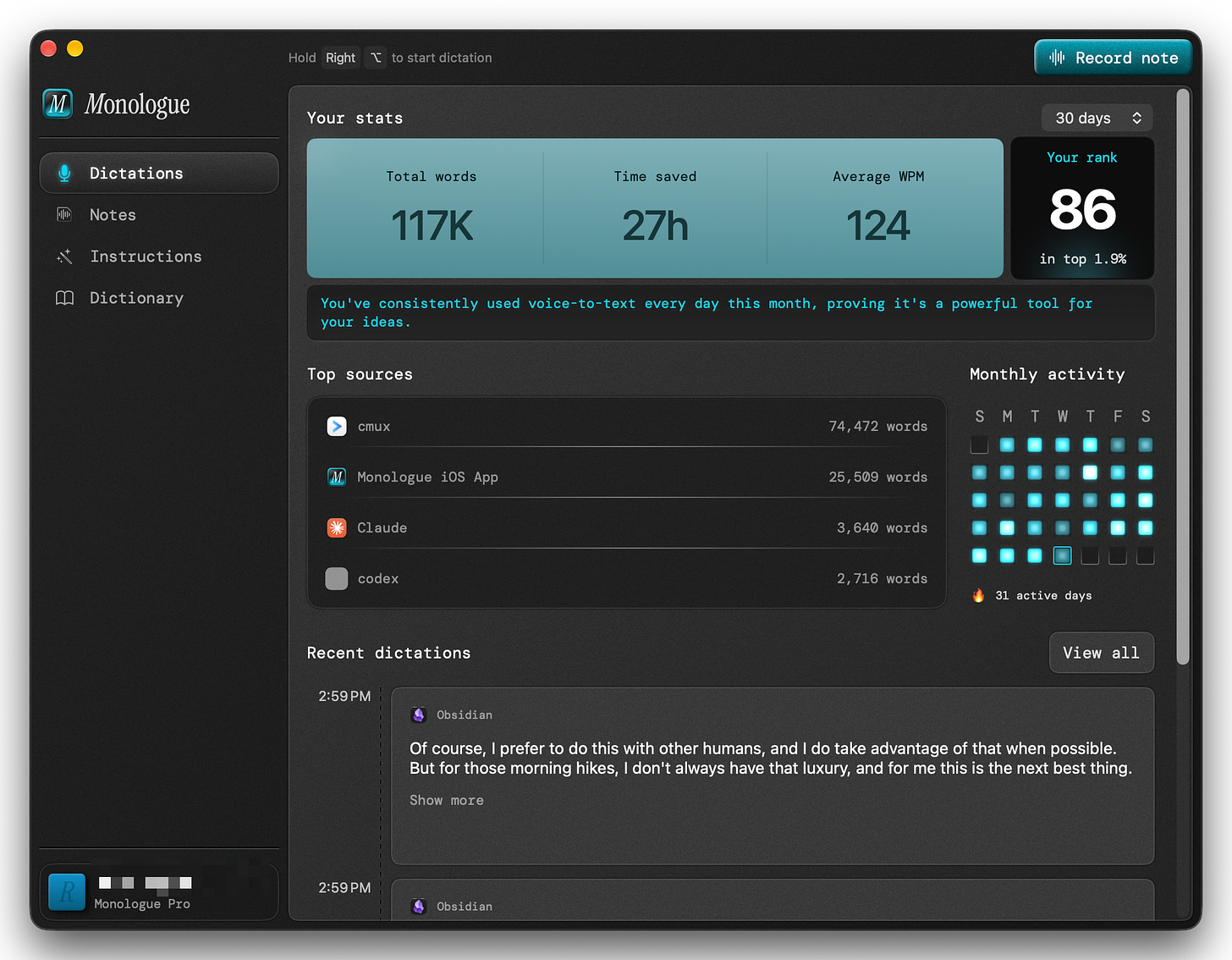
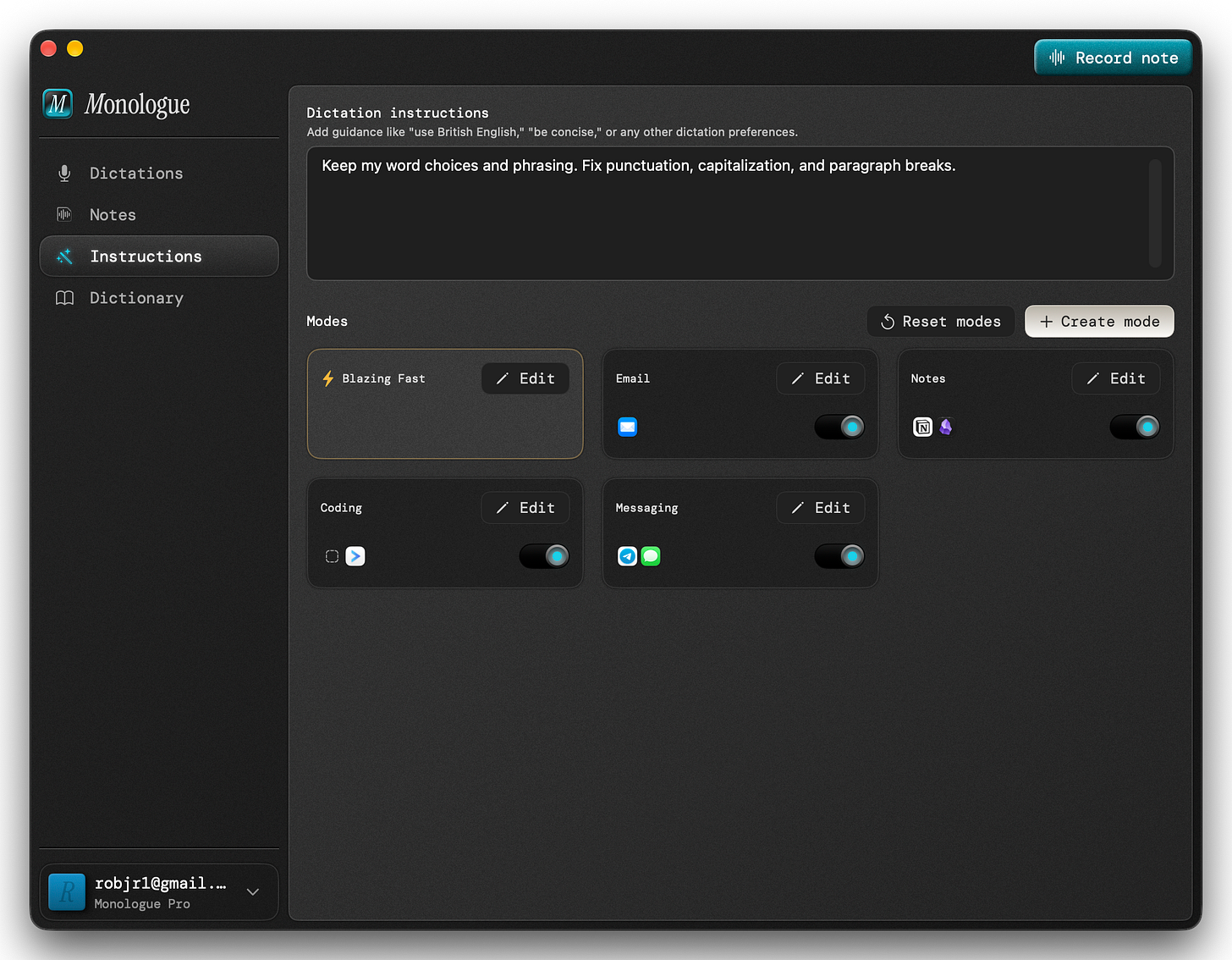
Monologue lets you provide instructions for how the AI should transcribe your dictation and voice notes. For dictation there’s a general setting, plus several “modes” depending on the type of app you’re using (you can define specific apps for each mode as well).
While I ignored these at first, I realized that customizing these instructions gave me better results than the defaults. Essentially this is telling the built-in AI how to transcribe what you say based on your style and preferences.
For example, my basic dictation instructions are simply: “Keep my word choices and phrasing. Fix punctuation, capitalization, and paragraph breaks.” That’s it—basically don’t change how I’m speaking, but make it readable for me later. This is important when dictating emails, messages, or even prompting an AI.
The default instructions for the different modes are well thought out, so I didn’t change those much, but I did add specific apps to some of the categories that weren’t there, for example, adding Telegram to the messaging mode.
The same idea turned out to matter for voice notes. Monologue’s summaries work well for a meeting or a brainstorm, but when I read the summary of a personal journal entry from a hike, it felt flat and impersonal, which is the opposite of why I recorded it.
That’s when I realized I was asking Monologue to do a job that isn’t really its job. Monologue’s job is to record what I say as faithfully as possible. What happens to that note afterward is up to my AI assistant, because my assistant knows me, understands me, and has memory and context that Monologue doesn’t.
Where the AI comes in
Recording is the easy part. Revisiting is where Monologue and my AI assistants multiply what I can do on my own.
So how do my AI assistants use Monologue? Monologue includes an MCP server, which is basically a standardized way for AI agents to access the data in any application. This means you can have your AI assistant read and analyze your notes, and even take action on them.
For example, I often dictate things I want to work on—project ideas, new features on my website, ideas for new articles or newsletters, etc. I created a workflow where my assistant reads my notes every night and adds them into my Obsidian vault to my daily notes. But when relevant, it also adds items to my project list, my Apple Reminders, or even creates email drafts.
When I start a recording by saying “workout log,” my assistant knows to add that to a note that keeps track of my workouts.
For me this really unlocks the real potential for AI to be my assistant and even collaborator. Beyond the daily workflows, I often ask it to read through my notes for the past week or two and surface patterns or blind spots I don’t notice (and possibly can’t notice) on my own.
I’m well aware of sycophancy (the tendency for AI models to try to make you feel good), and so more often than not I ask it to challenge me, play devil’s advocate, or look for the holes in my ideas or arguments. This is what a truly valuable thought partner should do, especially the more it knows about you.
I’m still exploring all of the various ways that these tools are helping me think clearer, keep more of my memories and experiences, and ultimately allow me to understand more of who I am and what I’m trying to accomplish.
Now when I’m out with my camera, I have a creative partner that reminds me of what those special moments felt like because I recorded them, and for me that’s the most meaningful part of it all.
Thanks for reading beacon24! Subscribe for free to receive new posts and support my work.